Best Hostinger Plan for Beginners: Which One to Buy?
Not sure which Hostinger plan to pick? We break down exactly which one fits your website — first blog, WordPress site, or online store.
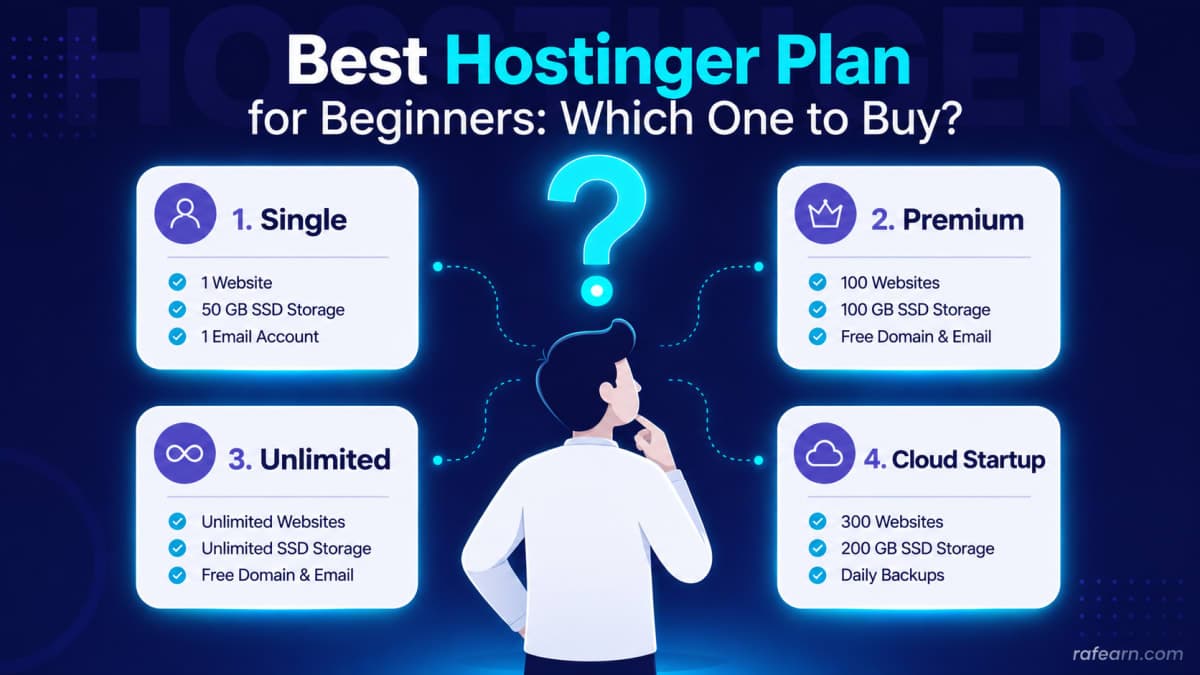
If you're building your first website, Hostinger's pricing page can feel more confusing than it should be. Premium, Business, Cloud Startup, WordPress Hosting — they all sound similar, and picking the wrong one either wastes your money or leaves your site struggling the moment it gets real traffic.
We looked at what each plan actually offers and matched it against the kind of website beginners usually build. Here's the short version, followed by the full breakdown.
Quick Answer: What Should Most Beginners Buy?
If you just want a straightforward answer: Hostinger Premium Web Hosting is the right starting point for almost anyone building their first website. It's affordable, handles a single site comfortably, and the setup process doesn't require any technical background.
If your situation is more specific than "just starting out," keep reading — the right plan really does depend on what you're building.
Get Hostinger Premium Hosting →
"I just want a personal blog or portfolio site"
This is the most common starting point, and it's the easiest to solve. You don't need much horsepower for a personal blog, a resume site, or a small portfolio — you need something cheap, reliable, and easy to set up without touching a terminal.
Best pick: Premium Web Hosting
Handles one website comfortably
Free domain included for the first year
Simple control panel — no technical knowledge required
Cheapest way to get a real website online
If your only goal right now is "get my site live without overpaying," this plan does the job and nothing more — which is exactly what you want at this stage.
"I'm building specifically on WordPress"
WordPress runs differently from a plain HTML site, and generic shared hosting sometimes struggles to keep it fast as your content grows. If you already know you're using WordPress — not "might use," but definitely using — it's worth paying the small difference for hosting built around it.
Best pick: WordPress Hosting (Starter plan)
Pre-optimized specifically for WordPress performance
One-click WordPress installation, no manual setup
Built-in caching for faster page loads
Easier troubleshooting since the whole stack is WordPress-focused
This isn't a huge upgrade in price, but it removes a category of speed problems before they start.
Get Hostinger WordPress Hosting →
"I'm starting a small online store"
Running a store is a different job than running a blog. Product pages, checkout flows, and payment plugins all add load to your site — and if it slows down or times out during checkout, you lose the sale, not just a pageview. This is the one case where under-buying hosting actually costs you money directly.
Best pick: Business Plan or Cloud Startup
More server resources than Premium, so checkout stays responsive under load
Handles WooCommerce and similar store plugins without choking
Daily backups — important once real orders start coming in
Room to grow as your product catalog and traffic increase
Don't try to run a store on the cheapest plan to save a few dollars a month. It's the one scenario where that decision tends to backfire quickly.
Get Hostinger Business Hosting →
"I'm planning to build more than one website"
If you already know you'll be managing two or three sites — maybe one for yourself and a couple for friends or side projects — it's worth paying slightly more upfront rather than buying single-site hosting and upgrading later.
Best pick: Business Plan
Supports multiple websites on one plan
Daily backups across all sites
More storage and bandwidth to share between them
Cheaper per-site than buying separate Premium plans
Quick Comparison
Situation | Best Plan | Why |
|---|---|---|
First personal site or blog | Premium | Cheapest way to get online, single site is enough |
Dedicated WordPress site | WordPress Hosting | Built-in speed and setup optimizations |
Online store | Business / Cloud Startup | Handles checkout load, daily backups |
Multiple websites | Business | Multi-site support, better value per site |
Final Verdict
For the vast majority of people reading this — someone building their very first website — Premium Web Hosting is the sensible starting point. It's inexpensive, it's genuinely beginner-friendly, and it gives you everything you need without paying for capacity you won't use yet. You can always upgrade later if your site grows into something bigger; you don't need to guess that far ahead on day one.
If you already know you're running WordPress specifically, or launching a store, jump straight to that section above — those are the two cases where the "default" plan isn't the right call.
FAQs
Is Hostinger good for beginners? Yes — the control panel is simpler than most competitors, setup is guided step by step, and the Premium plan is priced specifically for people building their first site.
Can I upgrade my plan later? Yes. You can move from Premium to Business or Cloud hosting later without migrating your site elsewhere — it's handled within the same account.
Does Hostinger include a free domain? Yes, most annual plans include a free domain for the first year, which is one less cost to worry about when you're just starting out.
Do I need technical knowledge to use Hostinger? No. The setup wizard and control panel are built for non-technical users, which is a big part of why it's a common first choice for beginners.
Featured Products
WordPress Hosting
Best if you're building specifically on WordPress
Starts at ~$3.99/mo